
Summary
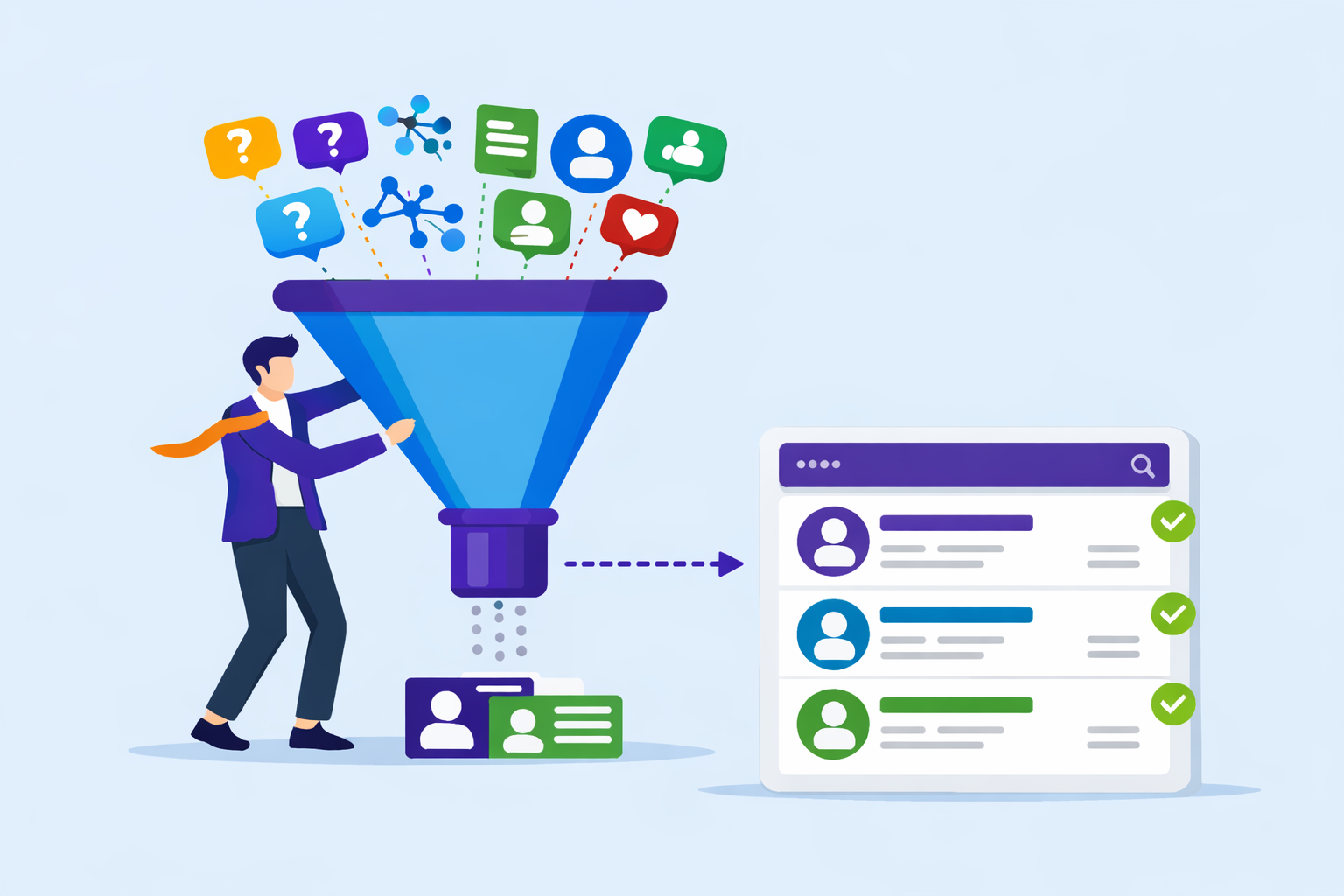
LinkedIn creates visibility and early trust, but it does not create owned relationships or predictable opportunities on its own. That only happens when post-engagement activity is intentionally managed inside HubSpot Marketing Hub. This article explains how to run a complete LinkedIn funnel in HubSpot from landing pages and workflows to segmentation and dashboards using real examples and teaching from KLA Group’s Coffee with Kendra session with Brynne Tillman.
Key Takeaways
- LinkedIn creates visibility, but HubSpot Marketing Hub creates ownership
- A LinkedIn funnel only works when post-click activity is intentionally managed
- Landing pages must match the value promised in LinkedIn content
- HubSpot workflows should automate education, not push sales
- Behavioral segmentation reveals buying signals earlier than forms or titles
- Dashboards inside HubSpot show momentum, not just marketing activity
There’s LinkedIn Activity But Is It Producing Opportunities?
Activity alone does not create opportunities.
LinkedIn activity is up.
Content is being published consistently.
Engagement appears healthy.
Yet when CEOs open HubSpot Marketing Hub, they still ask:
“Where are the actual opportunities coming from?”
This exact frustration surfaced repeatedly during a KLA Group Coffee with Kendra session with LinkedIn expert Brynne Tillman. Teams were doing “all the right things” on LinkedIn, but nothing meaningful was moving inside the CRM.
LinkedIn creates visibility.
HubSpot creates ownership.
Without a defined funnel inside HubSpot Marketing Hub, trust forms but momentum stalls.
What Does “Running a LinkedIn Funnel” Actually Mean?
Running a LinkedIn funnel means managing what happens after engagement.
It does not mean posting more content or chasing algorithm tricks.
During the webinar, Brynne made this distinction clear:
“Most professionals post on LinkedIn. Very few actually grow a list.”
A real LinkedIn funnel connects:
- What someone learns on LinkedIn
- Why they choose to engage further
- How they are nurtured inside HubSpot
- When a sales conversation becomes appropriate
A LinkedIn funnel run through HubSpot Marketing Hub includes:
- A defined post-click path
- A clear value exchange
- Education-first follow-up
- Visibility into behavioral signals
Without HubSpot managing these steps, LinkedIn stays social instead of becoming a revenue input.
Step 1: Build Landing Pages That Reinforce the Value Exchange
A LinkedIn funnel only works when the value exchange is clear.
One of the strongest teachings from the webinar was this reframing:
“People aren’t downloading content for free. They’re buying it with their email.”
That mindset matters when building landing pages in HubSpot Marketing Hub.
Brynne explained that many teams break trust at this step by sending prospects to vague or generic pages that don’t match the LinkedIn post that earned the click.
High-performing HubSpot landing pages:
- Restate the exact insight shared on LinkedIn
- Clearly explain what problem the content solves
- Set expectations for what’s inside the download
- Avoid sales language or premature CTAs
KLA Group sees higher conversion and stronger nurture performance when each pillar asset has its own dedicated HubSpot landing page, connected to a campaign for full visibility.
Step 2: Automate the Post-Download Journey Not the Pitch
Automation should extend education, not accelerate selling.
This was one of the most emphasized points in the Coffee with Kendra session.
“The biggest mistake teams make is selling immediately after the download.”
Inside HubSpot Marketing Hub, workflows should be designed to:
- Expand on the original pillar idea
- Walk buyers through the framework step by step
- Answer the next logical questions
- Help buyers self-diagnose readiness
Kendra Lee shared how KLA Group uses 3–5 email nurture sequences after a download not to pitch, but to deepen understanding. Sales is only introduced once engagement signals show curiosity, not just compliance.
HubSpot workflows make this consistent without removing the human element.
Step 3: Segment by Behavior Not Assumptions
Behavior reveals intent better than titles or form fields.
Another key webinar takeaway:
“Not everyone downloads content for the same reason.”
HubSpot Marketing Hub allows segmentation based on:
- Which asset was downloaded
- Email open and click patterns
- Page revisits
- Time between interactions
This behavioral view is what turns HubSpot from a database into a decision tool.
When CEOs say, “We have contacts, but no visibility,” this is usually what’s missing.
Step 4: Run Your LinkedIn Content Engine from HubSpot
Consistency requires a system, not discipline.
The webinar highlighted the risk of “post and ghost” behavior publishing content without early engagement or follow-through.
Using HubSpot Marketing Hub, teams can:
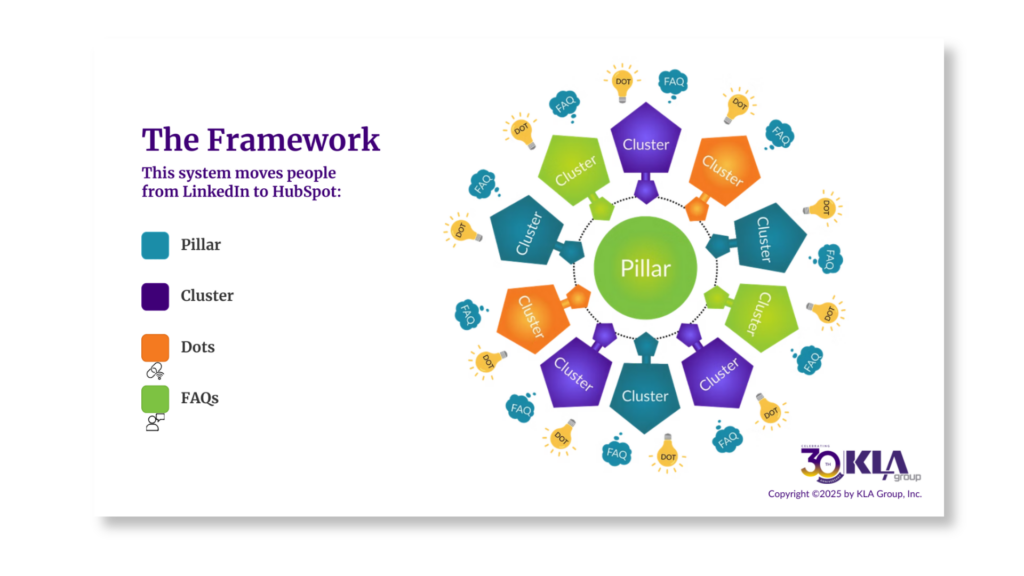
- Schedule LinkedIn cluster posts tied to a pillar
- Coordinate dot content and FAQs
- Maintain consistent cadence
- Tie all content to one HubSpot campaign
This keeps the content engine alive long after the initial post, and it ensures everything connects back to measurable outcomes.
Step 5: Track What’s Actually Creating Momentum
Momentum is measured by movement, not reach.
Brynne summarized it this way:
“Don’t chase reach. Earn the right people.”
HubSpot Marketing Hub dashboards help leaders see:
- Which LinkedIn posts drive conversions
- Which assets lead to repeat engagement
- Where contacts accelerate or stall
- What activity leads to real conversations
This replaces surface-level metrics with insight into opportunity creation.
How This Supports AEO and AI Visibility
Answer-first content improves discoverability.
The webinar also reinforced the importance of FAQ-driven content.
FAQs:
- Mirror how buyers actually ask questions
- Improve visibility in AI tools like ChatGPT and Google SGE
- Extend the life of pillar assets
When structured and managed inside HubSpot, this approach supports both buyer education and AI discovery.
Common Mistakes to Avoid
Based on what Brynne Tillman and Kendra Lee see most often:
- Gating content that lacks depth
- Pitching immediately after engagement
- Automating without context
- Treating LinkedIn and HubSpot as separate efforts
- Measuring clicks instead of momentum
None of these look broken but all of them quietly stall growth.
Final Recap and Takeaways
Before moving forward, here’s what this approach delivers when done correctly:
- LinkedIn builds early-stage trust and visibility
- HubSpot Marketing Hub manages the post-click journey
- Landing pages reinforce the value exchange
- Workflows educate instead of pressure
- Behavioral data reveals readiness
- Dashboards show what’s actually creating opportunities
Final Takeaway
LinkedIn creates visibility.
HubSpot Marketing Hub determines whether that visibility turns into momentum.
KLA Group helps companies between $1M–$100M in annual revenue unify sales, marketing, CRM, and AI so leaders can finally see what’s creating opportunities and what needs to change.
Frequently Asked Questions
Q. How do I run a LinkedIn funnel in HubSpot Marketing Hub?
A. You run a LinkedIn funnel in HubSpot Marketing Hub by intentionally managing what happens after engagement. This includes directing LinkedIn traffic to dedicated HubSpot landing pages, using workflows to deliver education-based follow-up, segmenting contacts by behavior, and tracking momentum through HubSpot campaigns and dashboards.
Q. Why doesn’t LinkedIn engagement turn into sales opportunities?
A. LinkedIn engagement often fails to turn into opportunities because visibility is not connected to ownership. Without a defined post-click path into HubSpot Marketing Hub, interest stays on LinkedIn instead of becoming an owned relationship that sales and marketing can nurture.
Q. What should happen after someone clicks a LinkedIn post?
A. After someone clicks a LinkedIn post, they should enter a structured post-click journey inside HubSpot Marketing Hub. That journey typically includes a value-based landing page, an educational nurture sequence, and behavioral tracking that signals when a sales conversation makes sense.
Q. What happens after someone downloads content from LinkedIn?
A. After a content download, the contact should enter an education-first nurture sequence that expands on the original idea, answers common follow-up questions, and helps the buyer gain clarity before any sales outreach occurs.
Q. What is the biggest mistake companies make after a content download?
A. The biggest mistake is selling too soon. When teams pitch immediately after a download, they break trust. A better approach KLA Group is using HubSpot Marketing Hub to continue educating and guiding the buyer until engagement signals indicate readiness.
Q. How does HubSpot Marketing Hub help track what’s actually creating momentum?
A. HubSpot Marketing Hub helps track momentum by connecting LinkedIn activity, landing page conversions, email engagement, and behavioral data into one view. Dashboards and campaigns show which content drives movement toward real conversations, not just clicks.
Q. How does this LinkedIn-to-HubSpot approach support AEO and AI search?
A. This approach supports AEO by using answer-first content, FAQ-driven structure, and clear frameworks that match how buyers ask questions. These elements make it easier for AI tools like ChatGPT and Google SGE to surface accurate answers.
About the Author
Revenue generator and founder of KLA Group, Kendra Lee helps small and mid-sized companies grow revenue by getting seen, getting heard, and getting traction with sales, marketing, and AI strategies that cut through the noise. She’s the author of The Sales Magnet, with her third book, From Chaos To Revenue, coming in 2026.
Affiliate Disclosure
Some of the links on this page are affiliate links. If you click through and make a purchase or sign up for HubSpot products, KLA Group may receive a commission at no extra cost to you. We recommend only those products and services we truly believe will add value to your business.
Read More Related Articles