
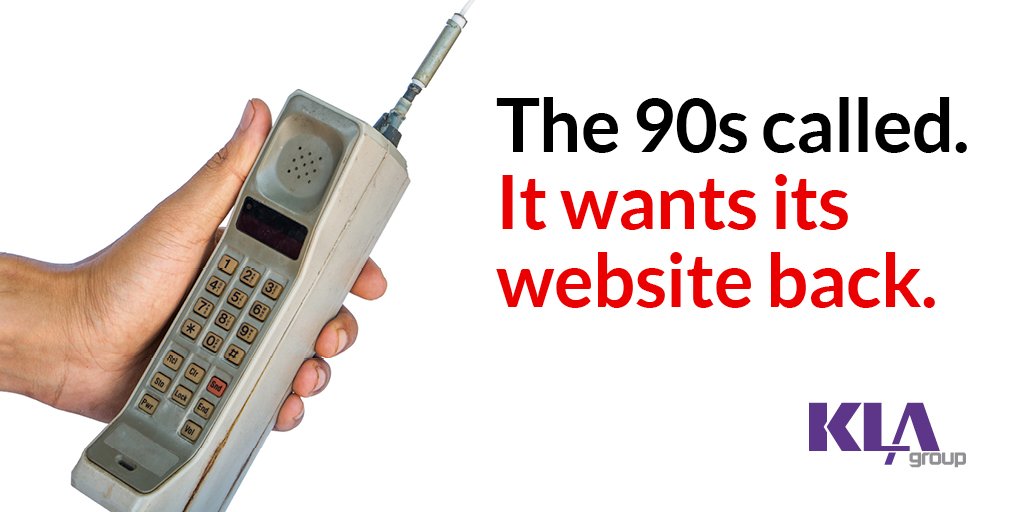
You’re investing in great SEO-driven content. If you have a bad website design, it’s money down the drain. It won’t matter that your keywords are intelligently woven into blog articles. Or that you have an engaging style.
Site That Looks Like It Was Created in the 1990s Won’t Engage Prospects
Visitors give up on clunky websites. They can’t easily click through your pages and find information about your solutions.
Instead of trying to navigate the morass, they hop back to Google, do a quick search, and end up on one of your competitor’s sites. Your competitor’s comforting sleek design points them to the exact services they’re looking for. They become a client – of your competitor.
Nail Website Design and SEO. Stop Visitor and Prospect Attrition
You’re going to be judged by how your website looks. Even before they look up your services or read a testimonial, prospects are going to make assumptions based on how your website feels and how easy it is to use. If you sell IT solutions and your site looks like something created by a tech-savvy dentist in the 1990s, you’re in trouble.
Of course, your situation may not be that bad. You might not realize how maddening people find your website.
9 telltale signs you have a bad website:
- It takes forever to load
- High bounce rates
- No mobile version
- It’s not easy to navigate
- Nonexistent SEO rankings
- Low visitor numbers
- Pages packed with words and images
- You aren’t getting leads
- Nothing calls visitors to action
Test your website design right now
- Open a new tab and go to your website.
- Grab your phone and do the same thing.
- Imagine that you’re seeing it for the very first time.
- As you navigate the pages on both devices, what’s your impression? How many of the 9 issues above do you experience? Be honest. Jot down what’s wrong. We’re about to help you fix it.
Your Website Is a Product That Prospects Consume
A bad product or service doesn’t sell. Neither does a bad
website. It’s an extension of your business. It’s the first impression people
form about you and your organization.
7 steps to fix bad website design:
- Improve load speeds
- Be mobile friendly
- Build a logical site hierarchy
- Have an orderly URL structure that follows your website’s hierarchy
- Make your main navigation pages accessible (a header is the preferred option)
- Use internal and external links
- Simplify your messaging
Step 1: Visitors have a need for speed
People will engage more with your site if pages load quickly. When loading speeds are 2 seconds or less, visitors go through an average of 8.9 pages. But if your load time is 8 seconds or longer, the average pages consumed drops all the way down to 3.3 pages. Check your site speed using Google’s PageSpeed Insights. Page speed is a key element of SEO ranking.
Step 2: Design a responsive site
An estimated 63% of Google searches happened on mobile devices. In 2019. We’re 2 years out from that, and people are more dependent than ever on the minicomputers we carry around in our pockets. You might be reading this on a smartphone right now.
If you think you can avoid having a mobile-friendly site that’s fine. But you’re frustrating your prospects with a barely functioning experience.
Responsive design adapts your web content to fit the screen size of the device a person is using. A landing page or contact form built to deliver the best experience to every user, regardless of how they get to the page, has higher conversion rates.
Knockout steps 3–6 with UX and UI
- User experience: How people interact with your site. How easy it is to find pages and information
- User interface: The site’s design and layout – everything from text and buttons to screen layout
Poor UI = Poor UX
UX and UI are the foundation of a positive website
experience. If you get UX and UI right, you encourage prospects to linger. The
longer they stay, the more they learn about your business. Visitors start to
form a positive relationship with you. They begin to think of you as a thought
leader.
To create a good experience for your users, your website has to be:
- Usable
- Easy to find
- Accessible
- Credible
- Valuable
Bonus! UX and UI improve conversions
When you tick all these boxes, you keep your prospects interested. It increases the likelihood they’ll:
- Sign up for your newsletter
- Absorb your solution pages
- Fill out a “contact us form”
- Give up their email address to download resources
- Return to the site
- Remember your company
Step 7: Keep it simple
Make it clear what you offer and what you want visitors to do on your site. Have a simple, overarching message for each page. Give people one call to action to take at the end of every article. Put an eye-catching call-to-action button in your navigation menu and footer, so prospects always know exactly how to contact you or sign up for an assessment.
Measure progress in Google Analytics
Use Google Analytics to identify what’s working and what’s not. You want to see an uptick in visitors, high pages per session, and low bounce rates.
Warning: You can’t buy your way to the top
You need to be at the top of search engine results to attract leads. Content alone isn’t enough. Sure you could use PPC ads to boost your way to the top, but if your website design is bad, people will still bounce and Google will ding your SEO. You won’t see many conversions and will have wasted even more money.
Getting SEO Right Turns Your Website into a Powerful Lead Generation Tool
If you want to know how to make your website a magnet for leads, let’s talk. Your prospects shouldn’t end up on your rival’s website. They will if you don’t take the time to get your web design right.
We help companies like yours update their websites and compel visitors to act. Let’s talk about your current website, your vision, and how you can turn it into a lead magnet. Schedule a meeting with me today, and let’s talk.
Read More Related Articles